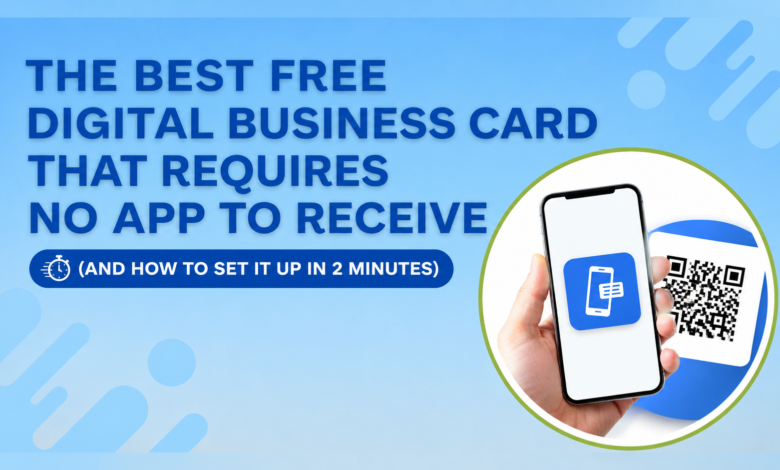
The Best Free Digital Business Card That Requires No App to Receive (And How to Set It Up in 2 Minutes)

Most people assume the person receiving your digital card needs to download something. They don’t. That one misunderstanding is the reason a lot of professionals either stick with paper cards they’ve outgrown or pay for digital card subscriptions they don’t need.
Here’s the reality in 2026: the best free digital business card no app required, setup works through any smartphone camera. The person receiving your card simply scans a QR code, your full contact profile opens in their browser, and they save your details in one tap, and that’s the entire process. No download prompt, no account creation, no friction of any kind on their end.
The digital business card market is projected to reach $238 million in 2026, growing at 12.2% annually. Meanwhile, 88% of paper cards are thrown away within a week of being handed out. The shift is well underway. The only question is whether you’ve set yours up yet.
If you haven’t, here’s everything you need to know, including a setup that takes under two minutes.
Why “No App Required” Matters More Than You Think
There’s a specific moment the “no app required” distinction matters: when you’re handing your card to someone who doesn’t care about your tech preferences. A client. A potential employer. A busy executive you’ve just met at a conference. Asking them to download an app before they can receive your contact details is friction, and friction kills first impressions.
The best platforms solve this by hosting your card at a URL and making it accessible via QR code that opens directly in any browser. The person receiving it needs nothing except the phone already in their pocket. This is how to share contact information without a business card in a way that genuinely feels easier than handing over a piece of card, not more complicated.
It also solves the problem professionals in fast-moving industries like real estate, freelancing, sales, and consulting run into constantly: how to update business card details without reprinting. With a digital card, you update your profile once, and every QR code or link you’ve ever shared reflects the change immediately. One update, zero reprints, zero wasted stock.
What the Best Free Option Actually Includes
Not all free digital card platforms are created equal. Many offer a free plan that locks the most useful features, analytics, custom branding, and portfolio links behind a subscription. The ones worth using at zero cost give you the full core experience without a paywall at the moment you need it most.
ShareEcard is built specifically around this. The free plan includes a fully shareable digital card accessible via QR code and direct link, with no app required on the recipient’s side and no account required to view it. Every free card gets a built-in profile page that can carry your name, job title, phone number, email, website, and social links plus a portfolio section if you need to show work rather than just list contact details.
For small business owners specifically, a digital business card for small business owners free of subscription costs matters because the overhead savings are real. Paper business cards cost roughly $150 per employee annually when you factor in design, print runs, and reprints after role changes. One free digital card eliminates that entirely and works indefinitely.
How to Set It Up in 2 Minutes (Step by Step)
This is genuinely fast. Here’s the exact process:
Step 1: Go to ShareEcard and choose a template
The free business card template library is organised by industries like real estate, beauty, trades, tech, food, health, creative services, and 35+ more. Pick the one that matches your profession. Every template is already sized correctly for digital sharing with no design experience required.
Step 2: Add your details
Fill in your name, title, phone, email, website, and any social handles you want to include. Upload your logo or photo if you have one. The editor is browser-based no download, no software.
Step 3: Save and get your QR code
Your card generates a unique URL and a downloadable QR code. Save the QR code image to your phone’s camera roll. That’s your card.
Step 4: Set it as your phone’s wallpaper
This is the move most professionals miss. Set your QR code as your lock screen background. When someone asks for your details, hand them your phone face-down. They flip it, scan it, and are done. No unlocking, no searching through apps, no explaining what they need to do.
Total time: under two minutes from landing on the site to having a working shareable card.
How to Use It Across Every Networking Situation
At conferences: Pull up your QR code on your lock screen for in-person scans. For speed, LinkedIn’s built-in QR code adds a connection in ten seconds, but your ShareEcard link gives them full contact details including phone and email, which LinkedIn doesn’t.
In your email signature: Learning how to add a business card to your email signature is the most underused networking move available. Add a line at the bottom of every email that reads “Save my contact details” hyperlinked to your ShareEcard profile URL. Every email you send becomes a passive contact-sharing moment. For real estate agents particularly, a digital business card for real estate agents built into your email signature means every property inquiry reply automatically carries your full contact details and portfolio link.
On LinkedIn: Paste your ShareEcard URL into the “Website” field of your LinkedIn profile and pin it as the featured link. This is how to share your business card on LinkedIn without it feeling promotional. It’s just a contact detail naturally placed where people expect to find one.
Via WhatsApp or text: Copy your ShareEcard URL and send it directly in any message thread. The recipient taps the link, your card opens in their browser, and they save your number in one tap. This works for how to save paper business cards to phone contacts in reverse, instead of them photographing your card and hoping the text recognition works, you send a link that saves your details perfectly every time.
The Eco Angle Is Real
Over 10 billion business cards are printed annually in the US alone, using approximately 12,000 tonnes of paper. A single free digital business card eliminates your contribution to that permanently. For professionals who want a genuinely eco-friendly alternative to paper business cards without sacrificing the professional impression of handing something over, a reusable QR code card printed once on metal or bamboo and linked to your ShareEcard profile is the best of both approaches. One physical card, updated digitally behind it, lasting indefinitely.
For a broader comparison of how digital card platforms perform across different professional use cases in 2026, ShareEcard digital business card benchmark is one of the more thorough independent reviews available.
FAQs
What is the best free digital business card that requires no app to receive?
ShareEcard offers a genuinely free digital business card accessible via QR code or direct link the recipient needs no app, no account, and no download. The card opens in any smartphone browser in under three seconds.
How do I set up a free digital business card in 2 minutes?
Choose a template at ShareEcard’s free library, add your contact details, save your generated QR code to your phone’s camera roll, and set it as your lock screen wallpaper. The entire process takes under two minutes and requires no design experience.
Can I update my digital business card details without reprinting anything?
Yes, edit your ShareEcard profile once online and every QR code and link you’ve previously shared automatically updates. No reprint, no cost, no need to reshare.
Is a digital business card good for real estate agents?
Particularly yes. A digital card for real estate agents can carry a direct link to active listings, a professional headshot, phone and email, licence number, and a booking link all accessible from one QR code scan. Adding it to your email signature means every property enquiry automatically carries your full professional profile.
What is the most eco-friendly alternative to paper business cards?
A digital card shared via QR code or link eliminates paper entirely. For professionals who prefer something physical to hand over, one reusable metal or bamboo card linked to a digital profile updated online, never reprinted is the most sustainable option available in 2026.